オフラインでも安全とは限らず、BootROMの脆弱性を指摘
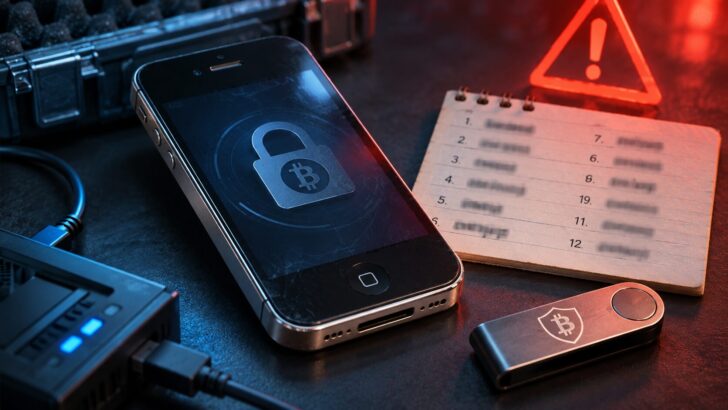
仮想通貨ハードウェアウォレットを手がけるOneKey(ワンキー)の創設者ワン・イーシー(Yishi Wang)氏が、古いiPhoneにシードフレーズを保存しないよう警告した。
Over the past two weeks iPhones have been publicly jailbroken more than once, and most people treated it as a bit of tech drama and scrolled on. I want to use it to talk about something that matters more to people in crypto: wiping an old iPhone, putting it in airplane mode and using it only to hold your seed phrase is not as safe as most people think. If it’s an iPhone 11 or older, the problem lives in the chip, and no iOS update will fix it. Quick recap of what happened. On October 16 at Hexacon in Paris, the Calif team jailbroke an iPhone 18 Pro running iOS 27.0.1 live on stage. The jailbreak survived a reboot, they had root, and they got past MIE, the hardware memory protection Apple added starting with the A19 specifically to stop spyware. In the same session they showed attacks that get in through a single click in Signal or iMessage. A week later, on the day iPhone Duo went on sale, they jailbroke that too. Apple shipped iOS 27.2 on October 26, and Calif says most of the bugs they used are now fixed. Then on October 30, Ikotas Labs, the Japanese team that just won Pwn2Own, posted that they had jailbroken 27.2 as well. Their video only shows swapped icons and the version number, though, so I’m treating it as unconfirmed for now. For most people on a recent phone who keep it updated, none of this is a reason to panic. Before chains like these get patched, they usually sit with spyware vendors and forensics companies, and the odds of an ordinary person being specifically targeted are low. Update to 27.2 and you’ve done what you need to. The people I actually want to warn are those using an old iPhone as a cold wallet. iPhone 4S through iPhone X have checkm8 in the BootROM, made public in 2019. This June, usbliter8 went public, covering the iPhone XS, XR, the 11 series and the 2nd-gen SE. The BootROM is boot code burned into the chip at the factory. Apple can’t patch it with a software update, so these devices will carry the hole for as long as they exist. Exploiting it doesn’t need a network either. Once someone has your phone in hand, they put it into DFU mode and plug in a custom USB board (the public research used a $5 Raspberry Pi Pico 2), and they can run their own code before iOS even boots. Airplane mode makes no difference here. I don’t want to overstate it. On models like the XS and 11, the BootROM bug alone won’t hand over your seed phrase, because your passcode and the Secure Enclave are still in the way. The trouble is that these remaining layers are exactly where people tend to cut corners: a 6-digit passcode, an iOS version years out of date with a pile of public n-days, a short wallet app password. On some older models, forensic tools use bugs like this to brute-force the passcode. And if your wallet app encrypts the seed with nothing but a short password, once that encrypted file is copied off, the attacker can take it home and keep guessing offline, with no attempt limit. Old iOS versions also have a charging port problem. ChoiceJacking, published in 2025, lets a malicious charger pose as a keyboard and approve the data-access prompt for you. Apple only closed that in iOS 18.4. One more thing about this kind of attack: when you get your phone back, nothing looks off. In security circles it’s called an evil maid attack. A hotel room, a security check, lending your phone to someone to charge — any time it’s out of your hands for a while, there’s an opening. A lot of people only find out their phone was touched after their assets are already gone. My advice: 1. Check which iPhone holds your seed phrase (Settings → General → About). If it’s an iPhone 11 or older, move to a newer model before storing a seed on it. 2. If you’ve already stored one there, no need to panic. When you get a chance, generate a brand-new seed phrase in an environment you trust and move your assets over. It has to be a whole new seed. A fresh address under the old seed won’t help. 3. If your phone has ever been out of your hands for a while, say held for inspection at a border, don’t wait. Migrate as in step 2 as soon as you can. 4. Update your daily iPhone to iOS 27.2 (Settings → General → Software Update). If you haven’t moved to 27 yet, install at least 26.7.2. 5. Switch to a long alphanumeric passcode (Settings → Face ID & Passcode → Change Passcode → Passcode Options). A 6-digit PIN has only a million possible combinations. Make your wallet app password longer too. 6. Carry your own charger. Don’t use public USB ports, random power banks or cables you don’t know. 7. If you hold a lot or are likely to be targeted, consider turning on Lockdown Mode (Settings → Privacy & Security → Lockdown Mode). It blocks wired connections while the phone is locked. 8. Any "iOS 27 jailbreak download," or any tutorial asking you to install a certificate or configuration profile, is a scam or malware. Neither Calif nor Ikotas has released any tools. If you like using an iPhone as a cold wallet, go with a newer model and keep it on the latest iOS. There’s no public BootROM exploit for the iPhone 12 or later, and if something does turn up, Apple can still fix it with an update. With really old devices, the risk sits in the chip itself, and updating iOS won’t get you around it.
— Yishi (@ohyishi) October 31, 2026
過去2週間で、iPhoneが複数回公開的にジェイルブレイクされましたが、ほとんどの人はそれをちょっとしたテック界のドラマとして扱い、スクロールして進みました。私はこれを利用して、暗号通貨コミュニティの人々にとってより重要な…
ソフトウェア更新では修正できない脆弱性により、インターネット接続を切断した端末でも攻撃を受ける可能性があるという。同氏は10月31日、Xへの投稿で、古いiPhoneを仮想通貨のコールドウォレットとして使用することの危険性を指摘。古いスマートフォンを初期化し、ネットワーク接続を切断してシードフレーズを保管する方法は、自己管理を重視する仮想通貨保有者の間で利用されている。
しかし、オフライン環境でも攻撃者が端末に物理的にアクセスできれば、セキュリティが損なわれる可能性がある。原因となるのが、端末の起動時に最初に実行される命令を格納したBootROM(ブートロム)の脆弱性だ。このコードはプロセッサに永久的に書き込まれているため、通常のiOSアップデートでは修正できない。
2019年に公開された「checkm8」はiPhone 4SからiPhone Xまでのモデルに影響し、2026年6月に公開された「usbliter8」はiPhone XS、XR、iPhone 11シリーズ、第2世代iPhone SEに搭載されたA12およびA13プロセッサを標的としている。
これらの脆弱性を悪用するには物理的なアクセスと特殊な機器が必要だが、攻撃者はUSB経由で起動プロセスを乗っ取り、iOSが読み込まれる前に不正なコードを実行できる可能性がある。ネットワーク接続を必要としないため、機内モードへの切り替えや端末の初期化だけでは安全を保証できない。
シードフレーズの新規生成と資産移動を推奨
一方、BootROMの脆弱性が存在しても、シードフレーズが自動的に漏えいするわけではない。端末の暗号化やパスコード、AppleのSecure Enclaveなどは、保存された情報を保護する障壁として機能している。
ただし、短い数字のパスコードや脆弱なウォレットパスワードは防御を弱める要因となる。特に、脆弱なアプリパスワードのみで保護された暗号化ウォレットファイルは、抽出された場合、オフラインで攻撃される可能性がある。また、ホテルの部屋などに置かれた端末が、所有者の知らない間に改ざんされる「邪悪なメイド」と呼ばれる攻撃も懸念される。
Wang氏は、影響を受ける端末の利用者に対し、信頼できる環境で全く新しいシードフレーズを生成し、新しいウォレットへ保有資産を移動するよう推奨している。既存のシードフレーズから別のアドレスを作成しても、元のフレーズが漏洩していれば根本的なリスクは解消されないためだ。さらに、OSの更新や強力な英数字パスコードの設定、不明なUSB機器や充電器の使用回避、ロックダウンモードの検討も勧めた。
iPhone 12以降については、今回指摘された2種類のBootROM脆弱性の影響は確認されていない。ただし、Wang氏は多額の資産を長期保管する場合、最新のiPhoneであっても専用のハードウェアウォレットと同等に扱うべきではないとの考えを示している。